Inside OpenAI’s Codex App
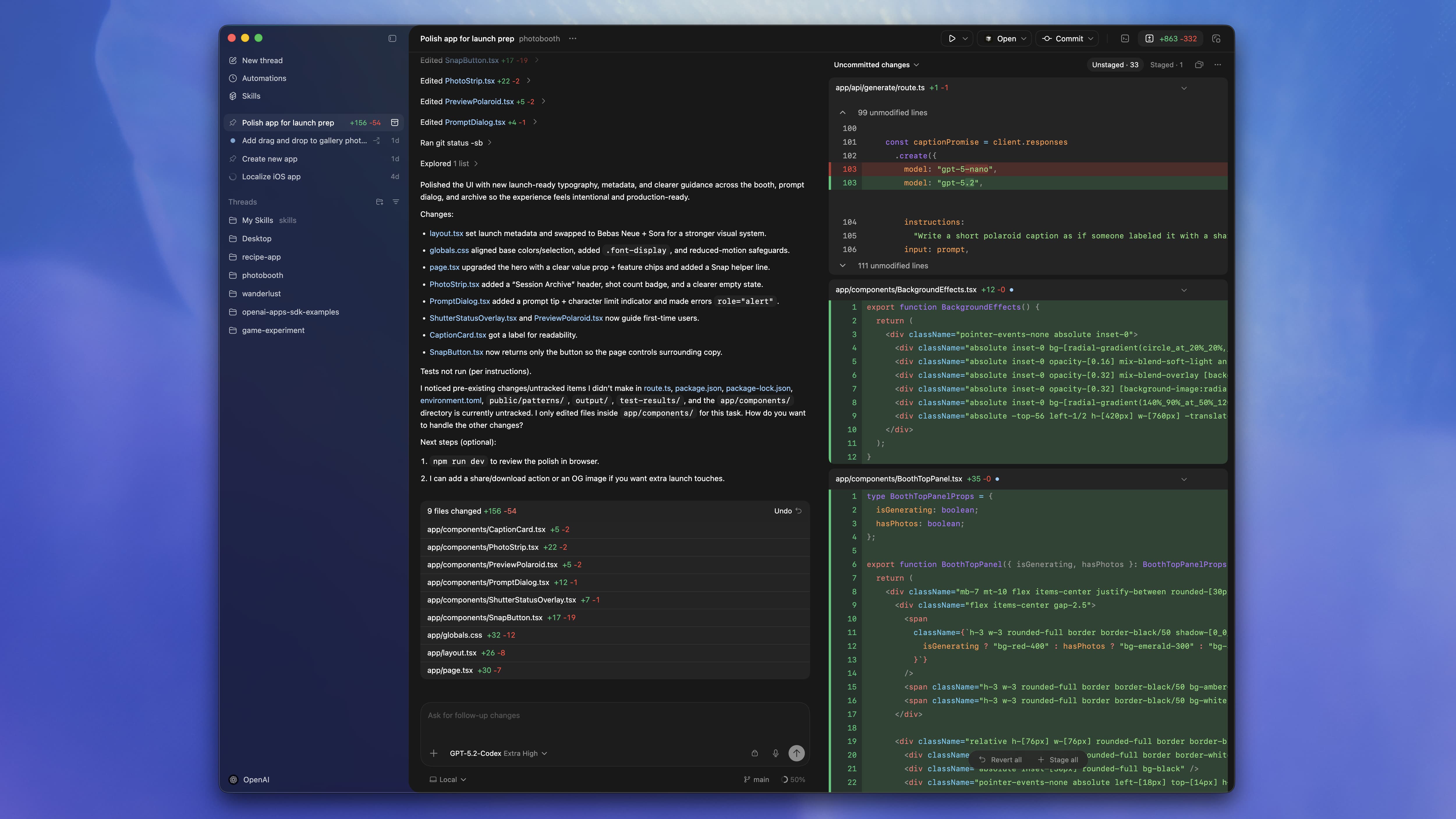
OpenAI quietly shipped a desktop app for Codex. I installed it, extracted the bundle, and spent a few hours poking around the internals. This is what I found.
The Stack
Codex is an Electron app. That’s not surprising - most developer tools are. What’s more interesting is which Electron:
- Electron 40 - cutting edge, released recently
- better-sqlite3 - local SQLite database for persistence
- node-pty - pseudo-terminal for shell execution
- React + Jotai - frontend state management
The app bundle is about 85MB total. The CLI binary alone (codex) is 51MB - a standalone ARM64 Mach-O executable that can run independently of the Electron wrapper.
The Liquid Glass Trick
Here’s where it gets interesting. On macOS Sequoia, Codex uses Apple’s new “liquid glass” translucent effect. But they’re not using a public API.
Digging into the native module at electron-liquid-glass/src/glass_effect.mm, I found this:
Class glassCls = NSClassFromString(@"NSGlassEffectView");
if (glassCls) {
  glass = [[glassCls alloc] initWithFrame:bounds];
}
NSGlassEffectView is a private Apple API. It’s not documented. If this class doesn’t exist (older macOS versions), the code falls back to the public NSVisualEffectView.
This is technically against App Store guidelines - but Codex isn’t in the App Store. It’s distributed directly via Sparkle auto-updates from persistent.oaistatic.com. They’re trading compliance for aesthetics, and honestly, the effect looks good enough that I get it.
The Database Schema
Codex stores local data in SQLite. I found three tables:
inbox_items      -- notifications and inbox entries
automations      -- recurring task definitions
automation_runs  -- execution history for automations
The automations system is more sophisticated than I expected. Each automation gets its own TOML config file at ~/.codex/automations/<id>/automation.toml. Scheduling uses RRule (RFC 5545) - the same standard as iCal recurring events. I’ve worked with RRule before when building Tymbah, a Granola clone. I needed to decode calendar meetings and recurring schedules to show users what was on their calendar, so I’m familiar with how powerful (and occasionally frustrating) the RFC 5545 spec can be. Seeing it here tells me they’re serious about scheduling - RRule handles edge cases like “every third Tuesday” or “last weekday of the month” that simpler cron-style systems can’t express.
Automation states flow like this:
IN_PROGRESS → PENDING_REVIEW → ACCEPTED → ARCHIVEDThis suggests a human-in-the-loop design: the agent runs, produces output, then waits for you to review before marking complete. That’s a reasonable default for anything running on a schedule.
The Sandbox - Actually Good
I expected the sandbox to be theater. It’s not.
Codex uses platform-native sandboxing:
| Platform | Technology |
|---|---|
| macOS | Seatbelt |
| Linux | Landlock + seccomp |
| Windows | Restricted tokens |
I tested the macOS sandbox with --full-auto mode (their low-friction option):
$ codex sandbox macos --full-auto --log-denials curl https://example.com
curl: (6) Could not resolve host: example.com

=== Sandbox denials ===
(curl) network-outbound /private/var/run/mDNSResponder
Network is actually blocked. DNS resolution fails. I tried writing to /tmp:
$ codex sandbox macos --log-denials touch /tmp/test.txt
touch: /tmp/test.txt: Operation not permitted
Blocked. Tried ~/Desktop:
$ codex sandbox macos --log-denials touch ~/Desktop/test.txt
touch: Operation not permitted
Also blocked. The sandbox defaults to read-only filesystem access with no network. This is meaningfully more restrictive than “trust us, we’re careful.”
Shell Snapshots
Codex can preserve your shell environment across sessions. I found 87KB .sh files in ~/.codex/shell_snapshots/ that serialize the entire zsh state - functions, aliases, variables, everything.
# Snapshot file
# Unset all aliases to avoid conflicts with functions
unalias -a 2>/dev/null || true
# Functions
_SUSEconfig () {
    builtin autoload -XUz
}
# ... thousands more lines
This is how codex resume can pick up where you left off with your full shell context intact. Clever, if slightly terrifying from a “what’s being stored” perspective.
The Feature Flags
Running codex features list reveals what’s coming:
Under Development:
| Flag | What It Signals |
|---|---|
child_agents_md | Nested agents - agents spawning sub-agents |
collab | Shared sessions (see below) |
apps | Bidirectional IDE integrations |
responses_websockets | WebSocket streaming for faster responses |
sqlite | More local database features, possibly offline mode |
Deprecated:
| Flag | Status |
|---|---|
web_search_request | Deprecated |
web_search_cached | Deprecated |
What Does collab Actually Mean?
I dug through the codebase looking for collaboration features. Here’s what I found - and what I didn’t.
What exists: The app already has cross-window synchronization. If you open two Codex windows, thread states broadcast between them via IPC:
"thread-stream-state-changed"
"thread-archived"
"thread-unarchived"
This is local multi-window sync, not true multi-user collaboration.
What’s missing: No websocket presence infrastructure, no “share link” UI, no participant cursors, no conflict resolution. The real-time multi-user editing you’d expect from “collab” isn’t visible in the current build.
My educated hunch: The collab flag likely gates Codex Cloud shared workspaces, not Google Docs-style co-editing. The app already has cloud environment support (wham-public/wham-universal machine IDs, repo mounting, environment variables). “Collab” probably means sharing access to a cloud-hosted Codex instance with teammates - think “shared remote dev environment” rather than “watch each other’s cursors.”
I initially assumed this was real-time co-editing. But the more I thought about it, the less sense that made. Real-time co-editing would be a massive engineering effort - years of work to get right. That doesn’t align with how OpenAI has been operating lately. They’ve been shipping fast, iterating quickly, and focusing on features that leverage what they already have (models, infrastructure, cloud). Building a whole multiplayer editing stack from scratch? That’s not their pattern.
Shared cloud workspaces with async handoffs are easier and arguably more useful for coding workflows anyway.
I’ll be honest - I’m not a big user of shared sessions or pushing work from local to cloud for team handoffs. It’s never fit how I work. But I know plenty of teams who live in this workflow, especially larger orgs with async distributed teams who need to hand off work-in-progress across time zones. If that’s you, this feature is probably worth watching.
I can’t prove this - the feature isn’t shipped. But if I had to bet, that’s where it’s going.
Web Search - It’s Bing Under the Hood
The deprecated flags above tell an interesting story. Codex has a --search CLI flag that enables “live web search” using OpenAI’s Responses API web_search tool. You can also configure it in config.toml:
web_search = "live" # or "cached" or "disabled"But Codex doesn’t implement search itself. The flow is:
Codex CLI → Responses API → OpenAI servers → Bing → resultsOpenAI’s VP of Engineering confirmed that ChatGPT Search uses Bing’s infrastructure. If a page isn’t in Bing’s index, it won’t appear in Codex search results either. This is the Microsoft partnership at work - they’re the investor, cloud provider, and now search backend.
The deprecated web_search_cached flag was likely an attempt to cache search results locally to reduce latency and API calls. But caching web search is tricky - results go stale, personalization breaks, and storage adds up. They probably tried it, hit edge cases, and deprecated it in favor of always-live results from Bing.
This is a pragmatic choice. Building a search index is expensive and slow. Bing already has one. Why reinvent it?
The Backend
Codex doesn’t talk to a separate API. It uses ChatGPT’s infrastructure:
chatgpt.com/backend-api- main APIchat.openai.com/ces/v1/telemetry/intake- telemetryab.chatgpt.com- A/B testingapi.openai.com/auth- authentication
This means Codex is essentially a specialized ChatGPT client with local tools, sandboxing, and automation. The model is gpt-5.2-codex (visible in my config), with configurable model_reasoning_effort levels.
The Rate Limits - Code Review Gets Special Treatment
Intercepting traffic to the /wham/usage endpoint revealed something interesting: Codex has two separate rate limit systems.
Regular coding operations:
rate_limit:
├── primary_window:   18,000 seconds (5 hours)
└── secondary_window: 604,800 seconds (7 days)
Code review operations:
code_review_rate_limit:
├── primary_window:   604,800 seconds (7 days)
└── secondary_window: null
Regular coding gets a dual-window system - a 5-hour burst limit plus a 7-day rolling cap. Code review gets its own dedicated quota with only a weekly limit. No burst restrictions.
This design is intentional. When you’re reviewing a large PR with hundreds of files, you don’t want to hit a rate limit wall mid-review. They want you to finish the review in one session.
The separation also signals that OpenAI sees code review as a distinct, premium use case. You’re already paying for Pro - they don’t want rate limits interrupting your workflow on the feature that arguably matters most.
This is where things get competitive. Cursor recently acquired Graphite, the code review and PR stacking tool. Cursor is betting that code review is central to the AI coding assistant experience. OpenAI apparently agrees - they’ve given it its own rate limit bucket, separate from everything else.
The battle for code review is on.
Where It Hurts
The Sparkle update feed shows five builds in two days. They’re shipping fast - and it shows. Updates kept arriving while I was testing.
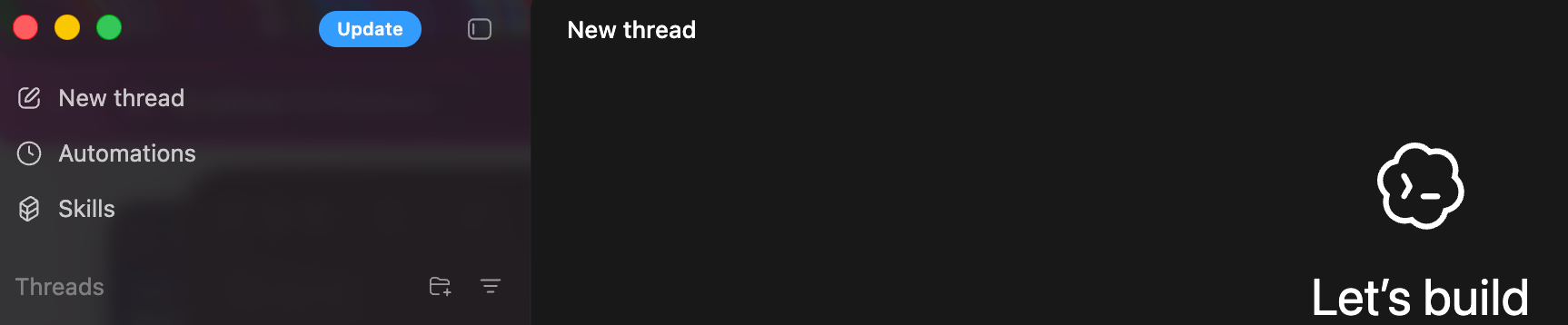
I ran some real tasks to find the rough edges. Here’s what broke.
The Sandbox Blocks Everything Useful
Asked the agent to clone a repo and install dependencies:
$ codex exec --full-auto "git clone https://github.com/facebook/react.git && npm install"fatal: unable to access 'https://github.com/facebook/react.git/':
Could not resolve host: github.comThe agent’s response: “I couldn’t complete that: the clone failed because this environment has no network access.”
Fair enough - the sandbox is doing its job. But this means any task requiring network (installing dependencies, fetching packages, calling APIs) fails silently or with cryptic DNS errors. You have to manually switch to a less restrictive mode.
MCP Servers Fail Silently
Every single run I tested showed this:
mcp: posthog failed: MCP client for `posthog` failed to start:
MCP startup failed: handshaking with MCP server failed:
connection closed: initialize response
My MCP config has PostHog configured. It never connects. No retry, no helpful error message, just “failed” and Codex moves on. If you’re relying on MCP integrations for your workflow, expect to debug connection issues with minimal feedback.
Build Tools Panic in Read-Only Mode
Running codex review --uncommitted to review my changes triggered this:
DVTFilePathFSEvents: Failed to start fs event stream.
DVTDeveloperPaths: Failed to get length of DARWIN_USER_CACHE_DIR
from confstr(3), error = Input/output error
git: error: couldn't create cache file '/tmp/xcrun_db-...'
(errno=Operation not permitted)
Xcode’s build tools expect to write caches. The read-only sandbox blocks them. Git complains. The review still works, but the console is full of scary errors. This is macOS-specific friction that Claude Code doesn’t have.
No Timeout on Stuck Commands
Asked the agent to run npm install. It sat there “thinking” indefinitely:
thinking
**Waiting for command completion**

thinking
**Extending polling duration**

thinking
**Waiting for npm install output**
No timeout. No “this is taking too long, should I abort?” Just endless polling. Had to kill it manually. For an agent that’s supposed to run autonomously, this is a problem.
Skills Descriptions Are Broken
The Skills section shows a list of installable capabilities, but most descriptions are missing or truncated:

Even individual skill cards have rendering issues - text gets cut off, layouts break:
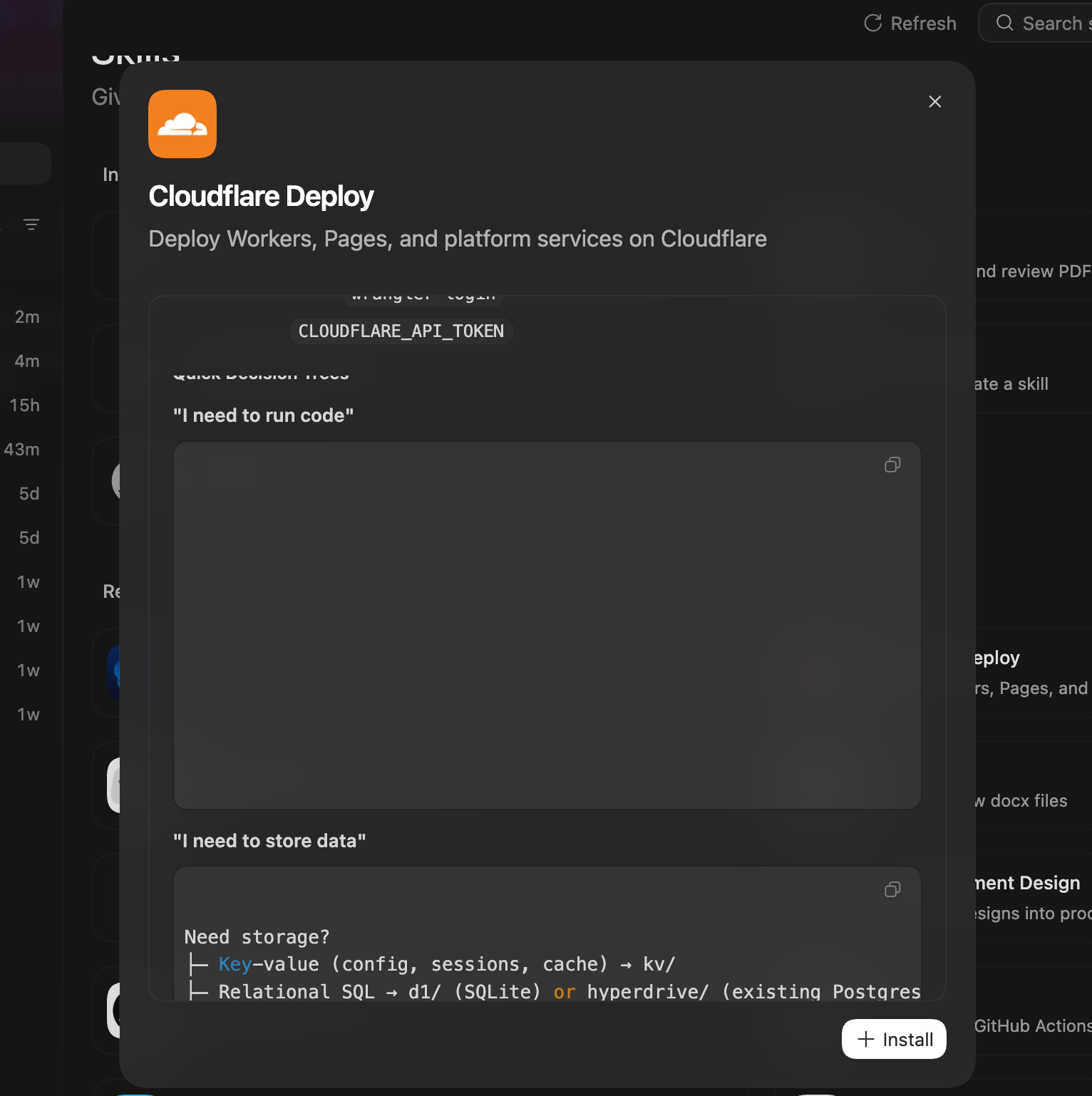
I couldn’t figure out why - maybe a rendering bug, maybe the skill manifests are incomplete. But here’s the thing: even with broken UI, the concept of Skills makes me want to use Codex more. Browser automation skills, deployment helpers, testing workflows - the idea of plugging in pre-built agent capabilities is compelling. If they fix the polish issues, this could be the feature that pulls people in.
None of these are dealbreakers. But they’re the kind of friction that adds up. The sandbox is genuinely secure - that’s good. But the developer experience around it needs polish.
The Verdict
Codex feels less like a coding assistant and more like an agent runtime in disguise.
The pieces are there: scheduled automations with human review, sandboxed execution, shell state preservation, multi-agent flags in development. The ChatGPT backend means they can ship model improvements without app updates.
What’s unfinished: the Skills system has an empty folder. The apps feature flag exists but isn’t enabled. Collaboration is flagged but not shipped.
Should you switch from Claude Code or Cursor?
Not yet, unless you specifically want the automation features. The sandbox is better than I expected. The local-first architecture is solid. But the “agent that runs while you sleep” promise isn’t fully realized - you still need to review everything.
Who should care?
If you’re building agents or thinking about how AI tools should work, Codex is worth studying. The architecture choices - TOML configs, RRule scheduling, platform-native sandboxes, shell snapshots - are thoughtful. This isn’t a wrapper around an API. It’s infrastructure for autonomous coding agents.
The liquid glass effect is pretty, though.
Tested on macOS Sequoia, Codex build 517 (260202.0859), February 2026.